Solution Flow Composer
See the Big Picture. Design Better Systems.
Design, visualize, and manage your solution architectures and process flows directly inside Polarion. Every diagram element is a live Polarion work item — versioned, reviewable, and traceable.
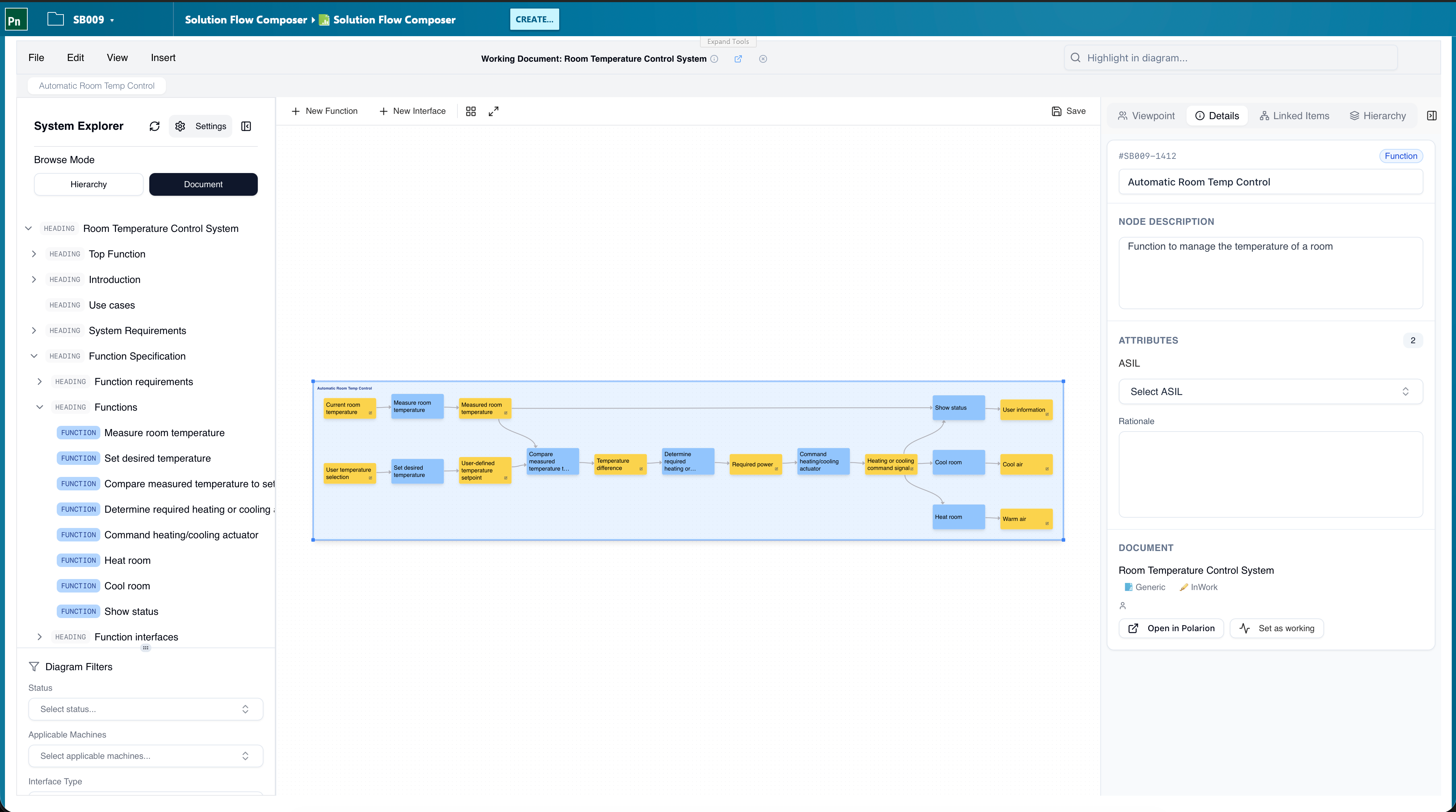
What You Get
Everything your team needs to design, communicate, and maintain solution architectures without leaving Polarion.
Visualize Complex Systems
Turn abstract requirements into clear, interactive diagrams that everyone on your team can understand. See how components connect, identify gaps, and communicate architecture decisions visually.
Live Polarion Work Items
Every box on the diagram is a Polarion work item. Change a component, and every diagram that references it updates automatically — no more "which version of the architecture is current?"
Functional & Logical Views
Switch between functional and logical architecture views, or overlay both. See your system from different perspectives without duplicating data.
150% Models & Variability
Build your 150% architecture once and use filters and variability to derive 100% configurations for each product variant — without maintaining parallel diagrams.
Interface Grouping & Composition
Group related interfaces and compose subsystems — keep complex systems readable with hierarchical views that match the way you think about the product.
Automatic Layout
Don't waste time arranging boxes and arrows. Automatic layout keeps your diagrams readable, even as they grow in complexity.
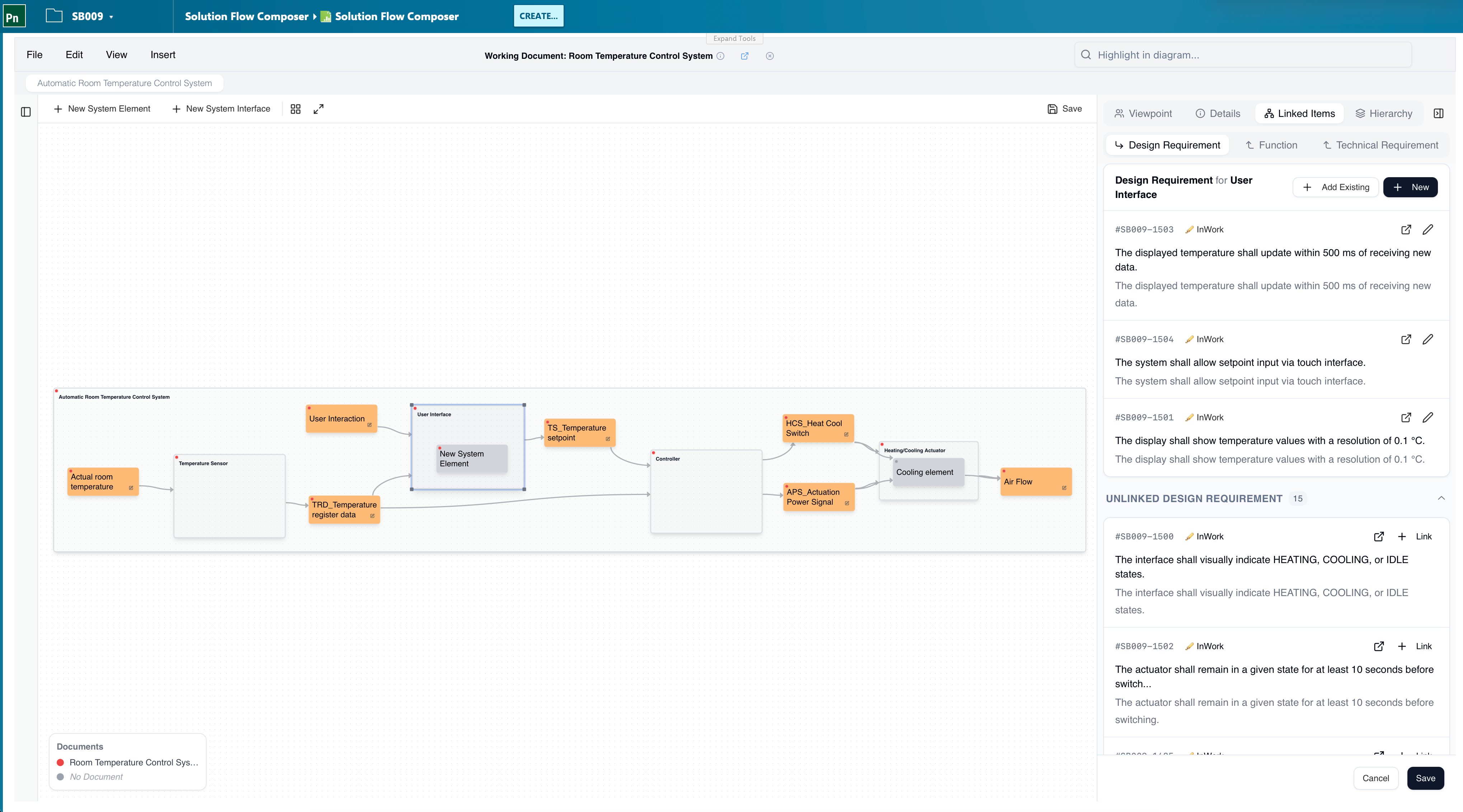
Architecture Linked to Requirements
Every node and interface in the diagram is a Polarion work item with full linking to design requirements, technical requirements, and downstream artifacts. Trace from a system interface to the requirements it satisfies — and back — without leaving the diagram.
Linked items side panel — see design and technical requirements for the selected element, add new ones, or link existing work items.
Open in Polarion — jump from any diagram element to its full work item with one click.
Audit-ready — every change is versioned in Polarion with full history and review workflows.
Built for Engineering Teams
Solution Flow Composer fits naturally into the way engineering teams already work inside Polarion.
System Architecture Design
Map out your complete system architecture with components, interfaces, and dependencies. Understand how changes in one area ripple through the entire system.
Reusable MBSE Models
Build solution models once and reuse them across projects and product lines. Leverage proven architectures to accelerate development and reduce rework.
Share & Collaborate
Share architecture models across teams and disciplines. Keep everyone working from the same source of truth with built-in versioning and Polarion workflows.
Hierarchies, Variability, and Export
The 26.3 release introduces the Breakdown View for navigating system hierarchies, configurable side-panel fields, and built-in diagram export — alongside continued improvements to the functional and logical views.
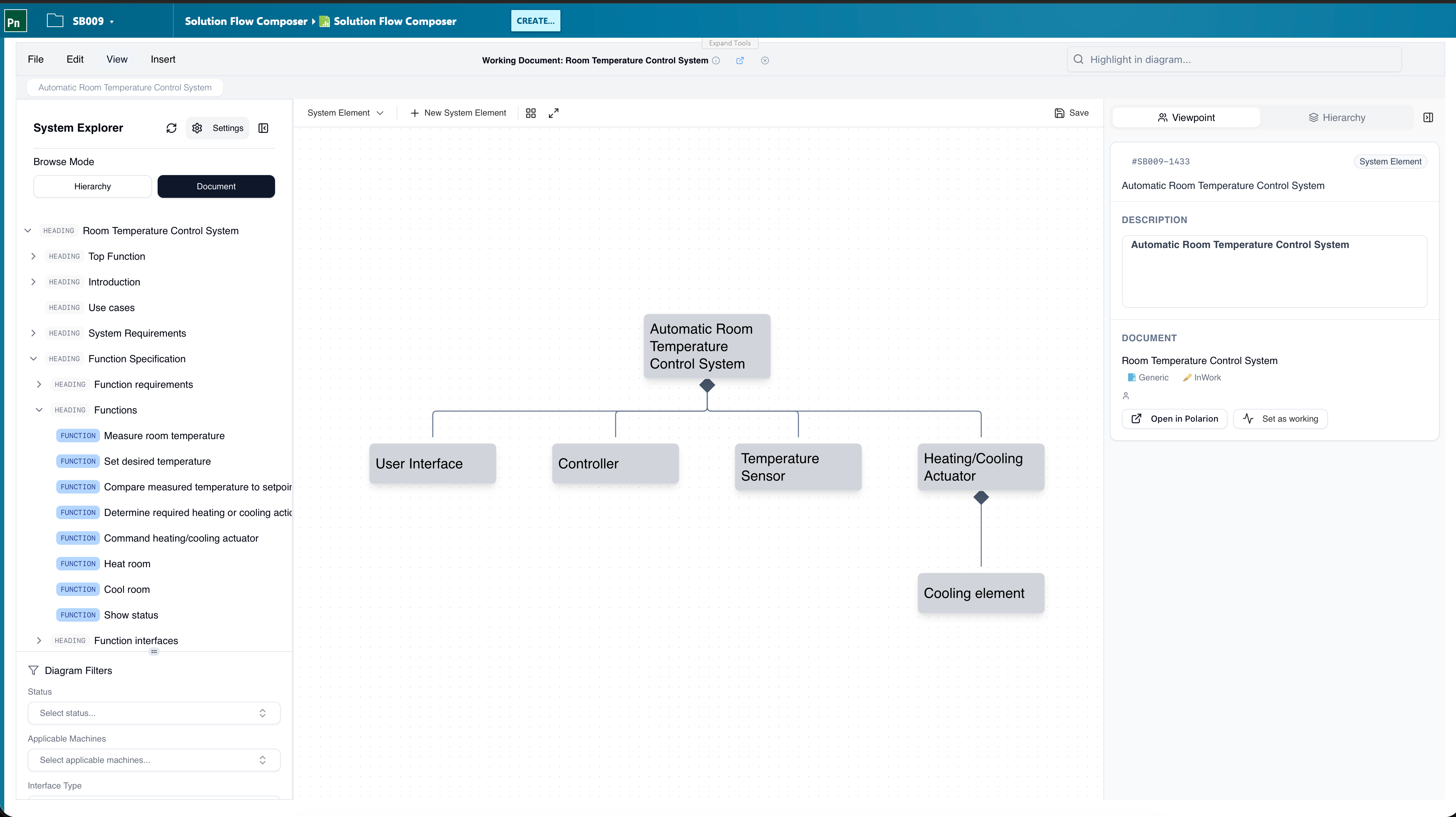
Breakdown View
Navigate the hierarchy of system elements and functions as a tree. See parents, children, and siblings at a glance — and drill into any subsystem to focus the diagram on that level.
Interface Grouping & Composition
Group related interfaces and compose subsystems into reusable building blocks. Hierarchical diagrams stay readable even as the system grows, and the structure matches the way your team already thinks about the product.
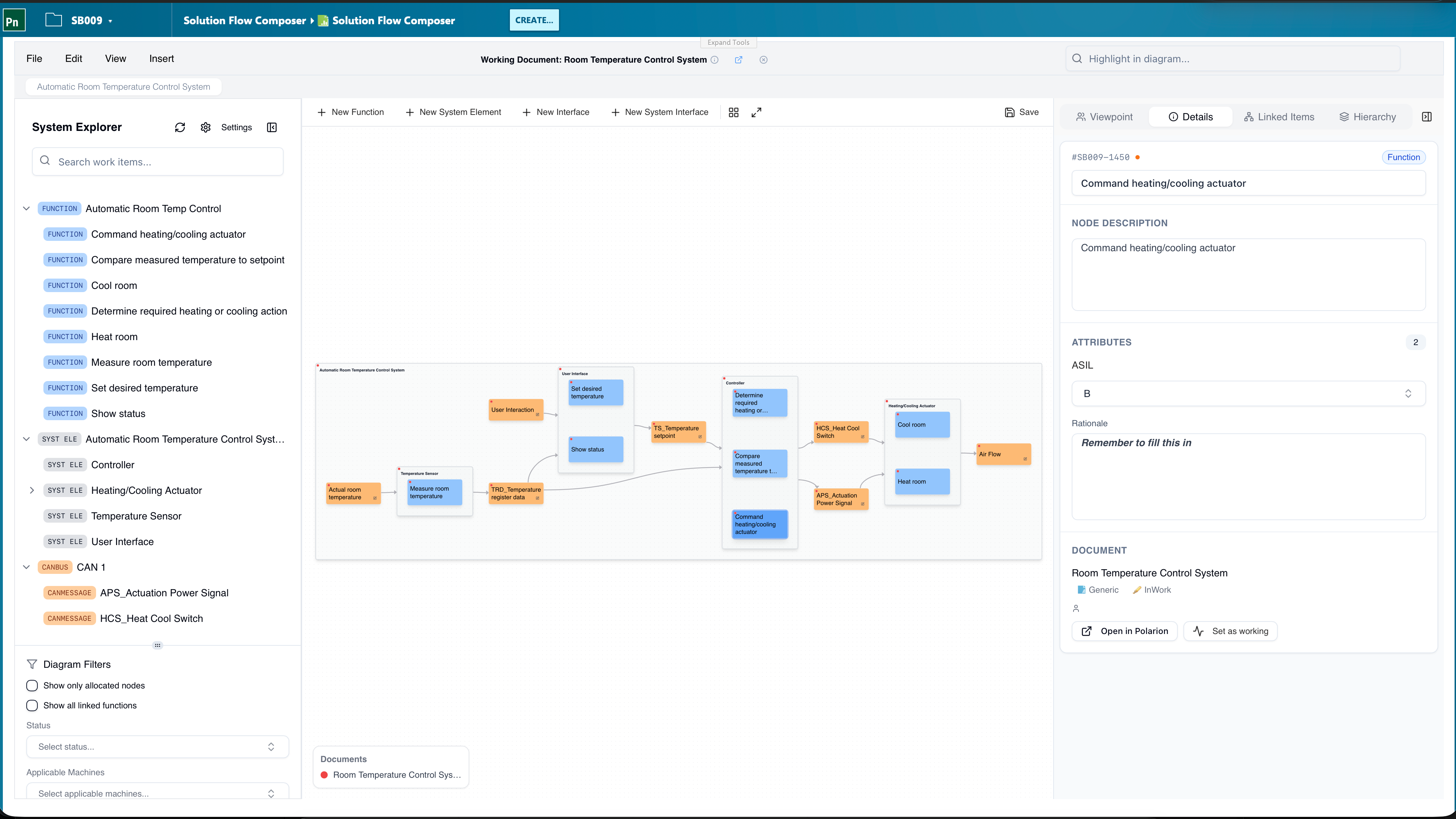
Configurable Side Panel
Choose which custom fields are surfaced for each node type — ASIL, rationale, owner, implementation type, or any custom field from your Polarion configuration. Set it up once for the project and the whole team gets the same view.
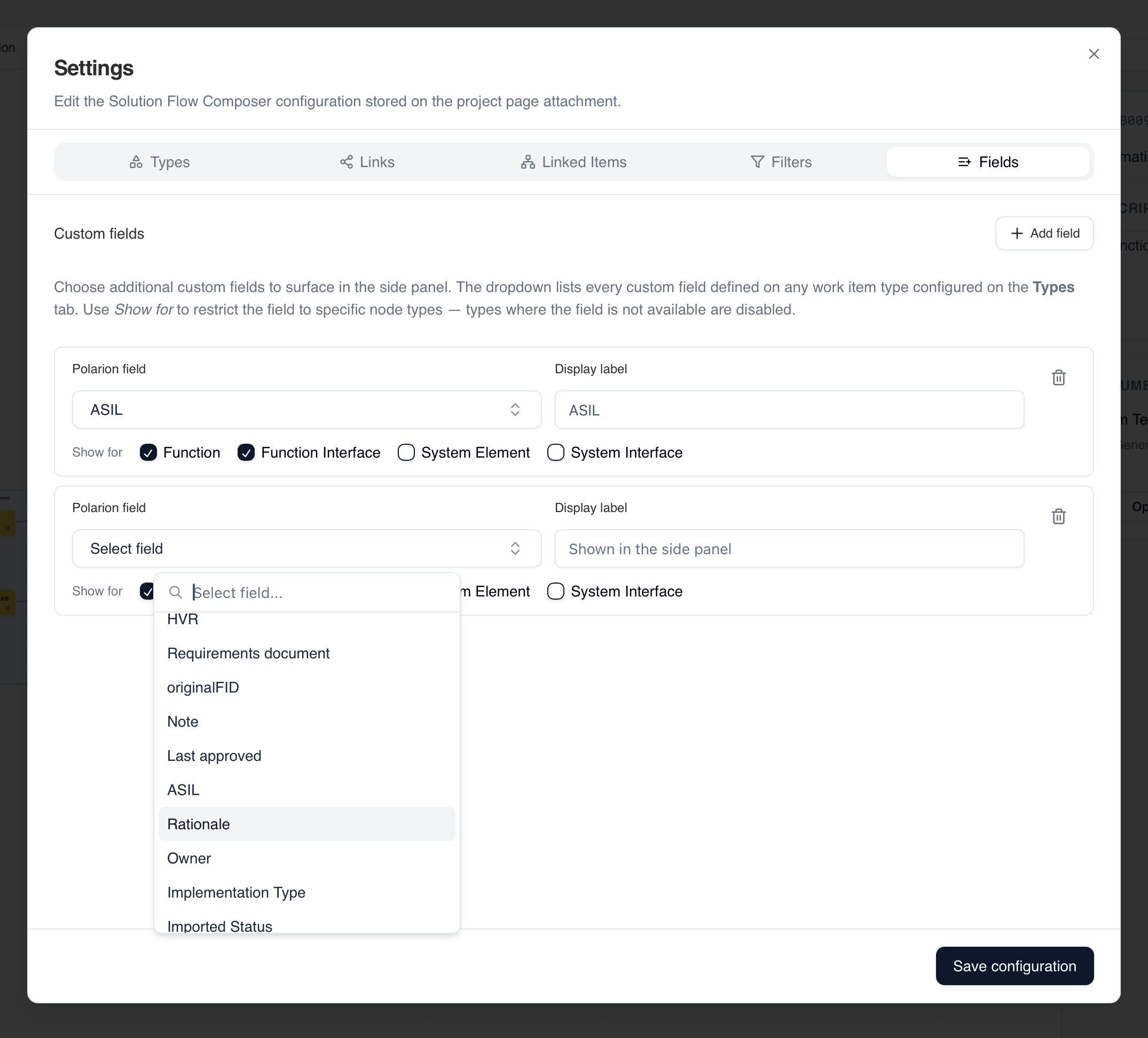
Diagram Export
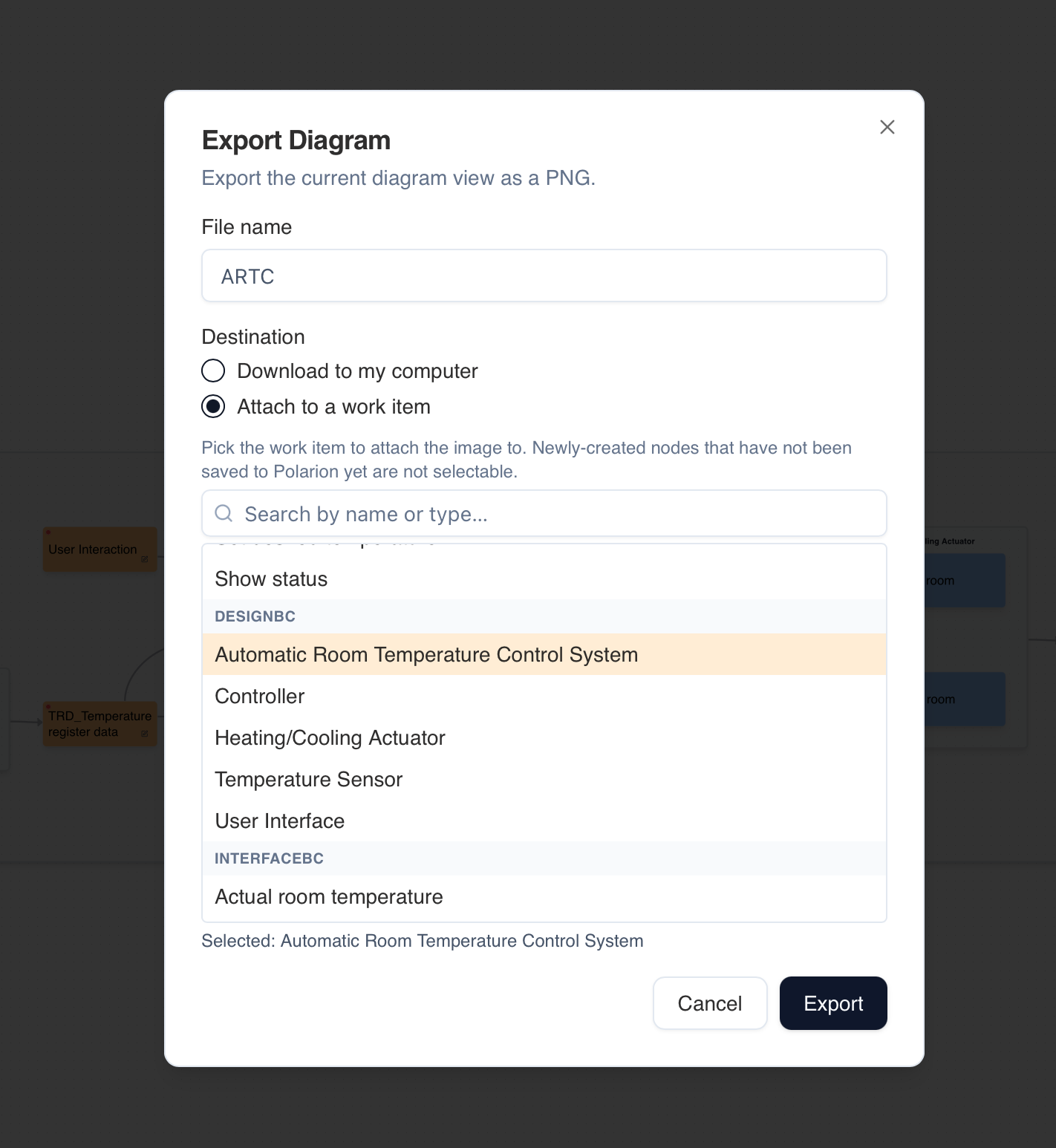
Export any diagram view as a PNG — download it locally or attach it directly to a Polarion work item for review packages, reports, and stakeholder communication.
Breakdown View for navigating system and function hierarchies.
150% models with filters and variability for product-line engineering.
Interface grouping and subsystem composition for hierarchical diagrams.
Configurable side-panel fields per node type — ASIL, rationale, owner and more.
Rich in-place editing for descriptions, notes, and formatted content.
Export diagrams as PNG — download or attach directly to a Polarion work item.
Compatible with Polarion 2512 and later with the REST API enabled.
Ready to bring clarity to your system design?
See how Solution Flow Composer helps engineering teams visualize, align, and deliver better systems.